|
Excel Change Absolute References to Relative References and Relative to Absolute in Multiple Cells Software!
Get it now! Only
$29.95 U.S. (Regular $49.95 US!)
for a limited time!
|
| Excel Change Absolute References to Relative References and Relative to Absolute in Multiple Cells -- If you want to know how to change
multiple excel cells in absolute format into relative format, or from relative
format to absolute format, then this software is for you!
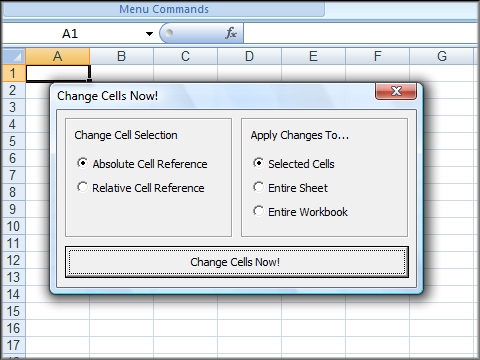
- Simply select a block of MS Excel
cells that you wish to change
- Decide further what should be be
changed (block of cells, worksheets, etc)
- Click on the 'absolute->relative
change' reference button, or the 'relative->absolute reference' button.
- And enjoy!
Try out this free ms excel format
changing software now!
You can order by
credit card, Phone/Fax, Mail, PayPal or purchase orders!
Purchase it now! Only $29.95 U.S. for a limited
time!
|


Click above for a larger
screenshot!
Click here to read testimonials!
Win online sweepstakes! Click for more details...!
|
|
|
Related Terms:
excel, absolute, absolute reference, relative reference, multiple cells, cells, worksheets, copy, referencing, changing, addresses, paste, copying,
|
|
|
|